A blog of ideas and improvements for Tormach CNC machines.
Articles |
PathPilot Plugins |
Fusion Plugins |
About |
tormachtips@gmail.com
WebPilot |
Spindle Load Meter |
LED Stack Light |
LED Axis Indicator |
PathPendant |
GamePendant
Custom ADMIN Commands |
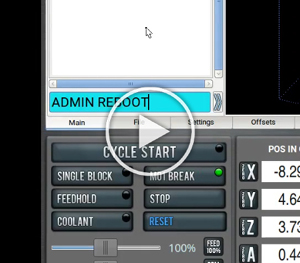
Want to create your own admin-style commands like "ADMIN TERM" or "ADMIN REBOOT"? With a small tool called AutoKey, you can set up easy-to-type triggers that launch programs or run scripts -- all from the MDI line. ---------------------------------- What Is AutoKey? ---------------------------------- AutoKey is a Linux automation tool that lets you define "phrases" or text snippets that trigger actions. These actions can be: - Replacing text - Running Python scripts - Launching programs - Executing custom shell scripts Once set up, you can type something like "ADMIN TERM" and it will open a terminal window immediately. ---------------------------------- How to Install AutoKey ---------------------------------- 1. Open a terminal window (CTRL + ALT + X normally) 2. Run this command: sudo apt install autokey-gtk This installs the GTK version of AutoKey, which works well with Linux Mint and other desktop environments. ---------------------------------- Setting Up Your First ADMIN Command ---------------------------------- 1. Open AutoKey from the Start Menu (just search "AutoKey"). 2. Create a new "Phrase". 3. Name it something like: ADMIN TERM 4. Under the "Abbreviation" tab: - Set the abbreviation text to: ADMIN TERM - Set the trigger mode to: "Immediate" 5. Under the "Script" tab, enter a Python script like this: import subprocess subprocess.Popen(["mate-terminal"]) Now, whenever you type "ADMIN TERM" followed by a space, your terminal will open. ---------------------------------- More Examples ---------------------------------- [ADMIN GEDIT] Opens the default text editor: import subprocess subprocess.Popen(["gedit"]) [ADMIN REBOOT] Runs a reboot script (no confirmation prompts): import subprocess subprocess.Popen(["/home/operator/gcode/scripts/reboot.sh"]) You can write this reboot script in Bash if you prefer not to handle system calls in Python. ---------------------------------- Why Use This? ---------------------------------- - Speed: Type a short trigger, run a full command or program instantly. - Simplicity: No need to memorize shell commands or navigate menus. - Flexibility: You can call apps, scripts, or even chain commands. ---------------------------------- Final Notes ---------------------------------- - Be careful with commands like reboot or shutdown -- they run immediately. - You don't need to be a programmer -- most of these scripts are just one line. - You can organize your shortcuts into folders like "ADMIN" for easy sorting. This is a great way to streamline common admin tasks with minimal effort. |